
A comparison between Office with a one-time purchase and Microsoft 365: functions, support, devices, activation and...
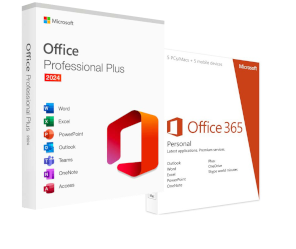
Microsoft Office is one of those names that everyone knows but few could define precisely. We use it to write a letter, prepare a quote or a presentation, yet behind that name there is a family of programs with a long history and, today, very different purchasing formulas. Understanding what Microsoft Office really is, what applications it includes and how it differs from Microsoft 365 is the first step to choosing the right version without spending more than necessary. In this guide, we provide clarity in a simple way.
In summary: Microsoft Office is a productivity software suite developed by Microsoft. It brings together the most widely used applications in the world for office, study, and work, including Word for texts, Excel for spreadsheets, PowerPoint for presentations, and Outlook for email. It is available both as a license to install on your computer, and as a cloud subscription under the name of Microsoft 365 .
The strength of Office lies in bringing together in a single package the tools that cover almost all office activities. These are the programs that are part of it and what they are used for:
Word: The word processor for creating documents, letters, reports, and resumes, with formatting and review tools.
Excel: The spreadsheet for tables, budgets, data analysis, charts and formulas, from the simplest tool to complex processing.
PowerPoint: The program for creating presentations and slides, used daily in the business and educational fields.
Outlook: The email, calendar and contact manager, designed to organize professional communication.
Access: The system for creating and managing databases, present in the Professional editions.
Publisher: The tool for the layout of flyers, brochures and simple graphic materials.
OneNote: The digital notepad for notes, ideas, and shared materials.
Not all editions include the same programs: Home versions contain essential apps, while Professional versions add tools such as Access and Publisher. We have explained the differences in detail in the article on What does the Office package include? .
Here is where the most common confusion lies, and it's worth clarifying it once and for all. Today, Office exists in two forms. The first is the perpetual license, that is, a one-time purchase of a specific version, such as Office 2021 or Office 2024: you pay once and the programs remain installed on your computer forever, without version updates. The second is Microsoft 365 , the monthly or annual subscription that includes always up-to-date apps, OneDrive storage space, and online services.
Those who work with us understand it with a simple question: Do you need the convenience of the cloud and continuous updates, or are the programs installed on your PC enough for you to work? The choice and the cost over time depend on the answer.
Over the years, Microsoft has released various versions of Office, each identified by the year of release. The most widespread and still current are Office 2016, Office 2019, Office 2021, and Office 2024. The latest versions offer an updated interface and new functions, but the previous editions also remain perfectly valid for most users, often at a much lower price. The choice of version depends on your needs and the operating system you use. You can see all available editions in the section. Microsoft Office by Macrosoft .
Microsoft Office is no longer tied only to Windows. The applications are also available for Mac, with dedicated versions, and in a reduced and free form through Office for the web, accessible from the browser with a Microsoft account. This last option is convenient for quick operations, but offers limited functions compared to the full suite installed on the computer. For professional use, with all functions available even without a connection, the desktop version remains preferable, either with a perpetual license or a subscription.
Microsoft Office refers to the suite of programs. Microsoft 365 is the subscription formula that provides access to those constantly updated apps plus cloud services. The perpetual license of Office, on the other hand, is a one-time purchase of a specific version.
The main apps are Word, Excel, PowerPoint and Outlook. The Professional editions add programs such as Access and Publisher. The exact composition depends on the chosen version.
The full suite is paid, available with a perpetual license or subscription. However, there is Office for the web, a free version with reduced features that can be used from a browser with a Microsoft account.
The most recent one-time purchase version is Office 2024, accompanied by the Microsoft 365 subscription which instead receives continuous updates.
In conclusion, Microsoft Office is the digital toolbox for office and study: a set of programs that cover writing, calculation, presentations, and mail. The real decision is not whether to use it, but in which form, between perpetual license and subscription, and in which version. To navigate through all the options and find the right one at the best price, the section. Macrosoft's Microsoft Office It is the ideal starting point.
 How to Activate Microsoft Office 2010: Complete Guide
 Corel Draw 2023: the new features of the software
 What are the best operating systems for PC
 What is the Microsoft Windows Server platform?
 What are RDS servers and what are they used for

A comparison between Office with a one-time purchase and Microsoft 365: functions, support, devices, activation and...

Duration of the right of use, Retail and OEM channels, ESD delivery and conditions to check before purchasing software.

Microsoft Publisher closes on October 1, 2026: what happens to .pub files, who really loses them, and how to convert...

How to open a CDR file without CorelDRAW: free tools, online converters and the limitations of each. Practical guide...
What is Microsoft Office? A clear guide to the suite (Word, Excel, PowerPoint), the available versions, and the...

What are the best PDF readers in 2026? Comparison between free and paid programs for Windows and Mac, including new...
How much does AutoCAD cost in 2026? Official price of the Autodesk subscription and the alternatives with perpetual...
How much does the Office package cost in 2026? Comparison between Microsoft 365 subscription and perpetual license:...
Discover how to effectively and stress-free restore Windows 7. Solve common problems and optimize your PC with our...
Do you need to install two operating systems? Face the common challenges and find the most suitable solution to...
Leave a comment