
Microsoft Publisher closes on October 1, 2026: what happens to .pub files, who really loses them and how to convert...
DISCOUNT -20% - use the code 1WEEKvalid without minimum order
DISCOUNT -20% - use the code 1WEEKvalid without minimum order
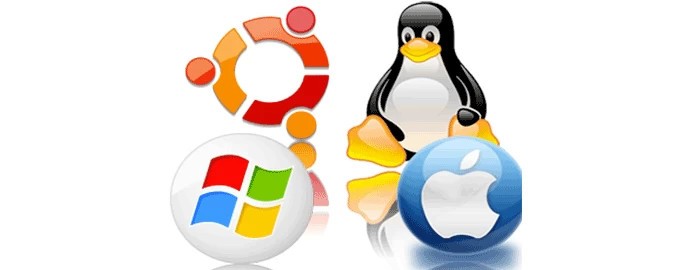
appropriate guide è molto più semplice di quanto si possa pensare. Translating into English: Changing the operating system may seem like an operation reserved for expert users, but in reality, with the appropriate guides, it is much simpler than one might think. correct information And a bit of attention is within anyone's reach. Whether you want to switch from Windows to Linux, upgrade your PC to a newer version of Windows, or install a completely new system, this guide will walk you through step by step.
The reasons that lead a user to change The operating system can be different:
The current system is slow or no longer supported.
Do you want to try new features or a different work environment.
You are looking for a safer, lighter, or open source system.
You have specific needs related to the software, such as compatibility with certain programs.
Whatever your motivation may be, it's important to plan each phase well to avoid data loss or malfunctions.
Before making any changes, it is essential:
Make a complete backup of important data (on an external hard drive or cloud).
Check the compatibility of the hardware with the new operating system.
Having the ISO file or the installation support of the new system available.
Prepare a bootable USB stick with software like Rufus or BalenaEtcher.
Furthermore, make sure you have access to a stable Internet connection: it will be useful for downloading updates or drivers.
È the most common option when you want to completely remove the old operating system:
Insert the USB stick with the new operating system.
Restart the PC and enter the BIOS/UEFI (usually by pressing F2, F10 or DEL at startup).
Set the boot from USB.
Follow the installer's instructions to format the disk and install the new operating system.
This procedure Delete all the content of the disk , so the backup is essential.
If you want maintain both operating systems (for example Windows and Linux), you can opt for dual boot:
Reduce the disk space from the current system to create a free partition.
Install the new operating system on that partition.
At the end of the installation, you will be able to choose which system to boot every time you turn on the computer.
The dual boot requires a good management of partitions And it may be more complex, but it offers you the flexibility to use both environments.
If you want Test an operating system without changing anything On your PC, you can install it on a virtual machine using software like VirtualBox or VMware:
Download the ISO file of the system you want to try.
Create a virtual machine with the necessary resources (RAM, disk space).
Start the VM and proceed with the installation.
This solution is Ideal for tests or for occasional use of software. that require a different OS.
On mobile devices, the change of The operating system is more complicated. and often not officially supported. Some advanced users install modified versions of Android (custom ROM) like LineageOS, but they require:
Unlocked bootloader.
Custom recovery (e.g. TWRP).
ROM and Google Apps files.
The operation involves risks (device brick, warranty loss) and requires a lot of attention.
Change operating system it can become problematic if attention is not paid to:
Missing backup: data loss is irreversible.
Incompatible drivers: check that the drivers are available for the new system.
License not activatable: for Windows, make sure your license is valid for the new version.
Incomplete or corrupted installations: use only official ISO files.
Can I switch from Windows to Linux without losing data?
Yes, if you choose the dual boot option or if you install Linux on a separate partition. In case of a clean installation, you must first make a backup.
Is it possible to change the operating system without a USB?
Yes, but it's less simple. Some systems support installation from a network or hard drive, but it's advisable to use a USB.
How long does it take to change the operating system?
It depends on the chosen system and the speed of the PC. Generally, from 30 minutes to 2 hours.
Can I install macOS on a PC?
No, not legally. The installation of macOS is only authorized on Apple devices.
Changing the operating system is an operation that can improve the efficiency, safety and compatibility of your device , but it requires attention and preparation.
Whether you want to switch to a new version of Windows, explore Linux, or simply reinstall your current OS from scratch, now you have all the information to do it consciously and safely.
products you need. If you are looking for original licenses, compatible software or technical support, you can find them all on Macrosoft Store. operating systems to complete your transition with peace of mind.
 How to Activate Microsoft Office 2010: Complete Guide
 Corel Draw 2023: the new features of the software
 What are the best operating systems for PCs?
 What is the Microsoft Windows Server platform?
 What are RDS servers and what are they used for

Microsoft Publisher closes on October 1, 2026: what happens to .pub files, who really loses them and how to convert...

How to open a CDR file without CorelDRAW: free tools, online converters and the limits of each. Practical guide with...
What is Microsoft Office? Clear guide to the suite (Word, Excel, PowerPoint), to the available versions and the...

What are the best PDF readers in 2026? Comparison between free and paid programs for Windows and Mac, including new...
How much does AutoCAD cost in 2026? Official subscription price of Autodesk and alternatives with perpetual license...
How much does the Office package cost in 2026? Comparison between Microsoft 365 subscription and perpetual license:...
Discover how to effectively and stress-free restore Windows 7. Solve common issues and optimize your PC with our...
Do you need to install two operating systems? Face the common challenges and find the most suitable solution to...
The best alternatives to Photoshop in 2026. Discover CorelDRAW, Affinity Photo, GIMP, and other software for...
What is a PC without an operating system and when is it convenient to buy it. Discover how to install Windows or...
Leave a comment