Whatsapp
Cart (empty) 0
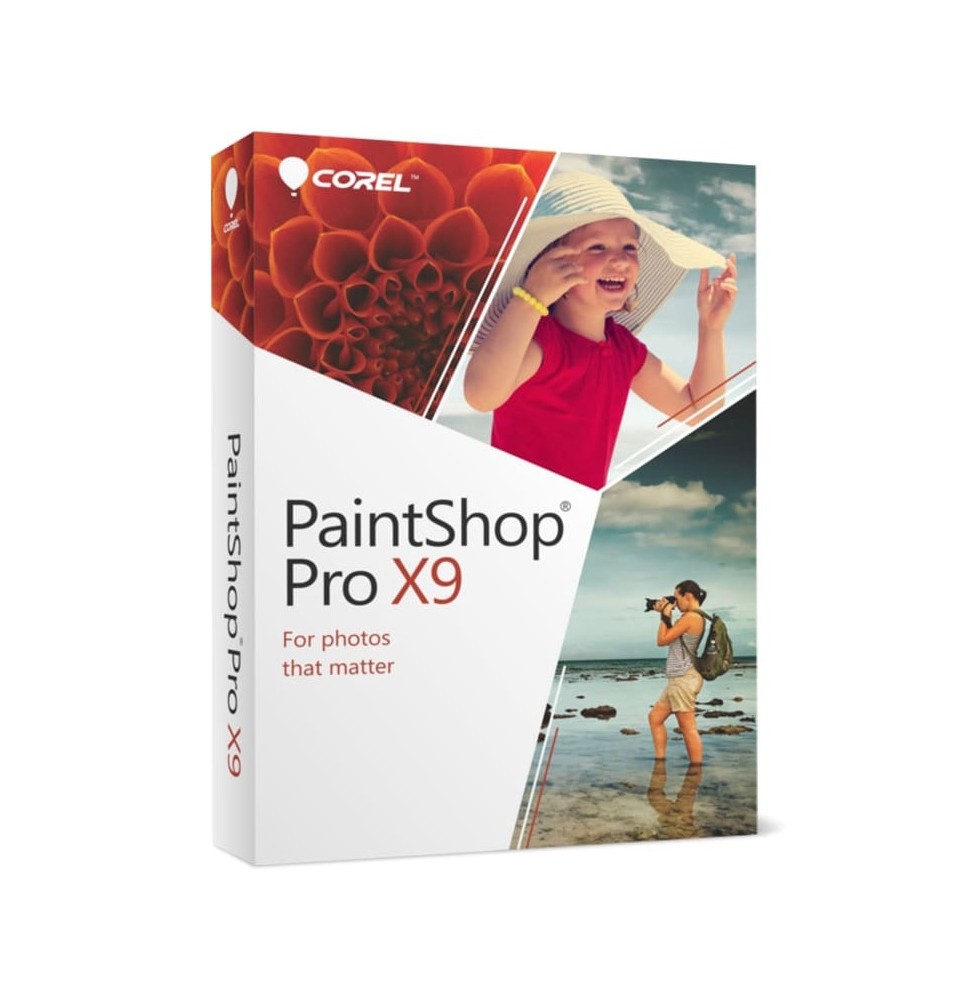
COREL PAINTSHOP PRO X9
For digital format products, delivery takes place within 5 minutes of receiving payment, via email.

COREL PAINTSHOP PRO X9

CRPNTPROX9_1
€40.90

Green tick   Immediate Digital Delivery

Green tick   Original License

Green tick   Satisfaction or Money Back Within 30 Days

Green tick   Easy Activation

Green tick   Installation Guide Included

Green tick   24/7 Support, Including on WhatsApp

Green tick   Reusable in Case of Formatting

Green tick   Multilingual

Green tick   Updates Included Where Applicable

Platform
  • Windows
License Duration
  • Perpetual
Available
Other 266 people are viewing this product

COREL PAINTSHOP PRO X9

Corel PaintShop Pro X9 is a comprehensive photo editing and digital graphics software, designed to offer users a powerful and accessible alternative to more complex photo editing programs. Thanks to its advanced but intuitive tools, it allows you to transform images, create graphic projects and produce professional-quality processing.

πŸ“¦ What the software includes

  • Advanced photo editor – Tools for retouching, correcting and automatically enhancing images.
  • Creative tools – Brushes, textures, and filters to add an artistic touch to photos.
  • Layer management – Multilayer support for complex compositions.
  • HDR and photo merging – Creation of high dynamic range images by combining multiple shots.
  • Scripts and automations – To speed up workflow and apply changes to series of images.
  • RAW support – Opening and processing of RAW files from digital cameras.
  • Selection and cropping modules – Smart tools to remove backgrounds or isolate subjects.
  • Integration with plugins – Compatibility with external plugins to expand functions.
  • Graphic tools – Functions to create banners, web graphics, cards, and customized visual content.

πŸ”§ Main features

  • Quick corrections – Automatic adjustments for color balance, brightness and contrast.
  • Advanced retouching – Removal of imperfections, red eyes, lens distortions and noise.
  • Artistic photo editing – A wide range of special effects, filters and creative brushes.
  • Batch processing – Simultaneous application of changes to multiple images.
  • Extended compatibility – Support for formats such as PSD, PNG, JPG, TIFF and GIF.
  • Graphic design tools – Creation of layouts and compositions for print and web.

πŸ’» Operating system compatibility

  • Windows 10 and Windows 11 (64 bit) – fully supported.
  • macOS – Corel PaintShop Pro X9 is not available in a native version for Mac, but can be run via virtualization with Parallels Desktop or VMware Fusion, installing Windows on macOS.

βš™οΈ Recommended hardware requirements

  • Operating system: Windows 10/11 (64 bit).
  • Processor: Intel Core i3 or higher / AMD equivalent (i5/i7 recommended for complex projects).
  • RAM: minimum 4 GB (8 GB or more recommended).
  • Graphics card: compatible with DirectX 9 or higher with at least 512 MB VRAM.
  • Disk space: about 1.5 GB free.
  • Screen: minimum resolution 1280 x 768 (1920 x 1080 recommended).
  • Internet Connection: necessary for activation and updates.

🎯 Who it is suitable for

Corel PaintShop Pro X9 is ideal for:
  • Amateur and professional photographers who need a powerful but intuitive editor.
  • Graphic designers and digital creatives who want design tools for web and print.
  • Businesses and offices that need reliable software for photo processing.
  • Students and hobbyists who want to improve their photos and create artistic projects.