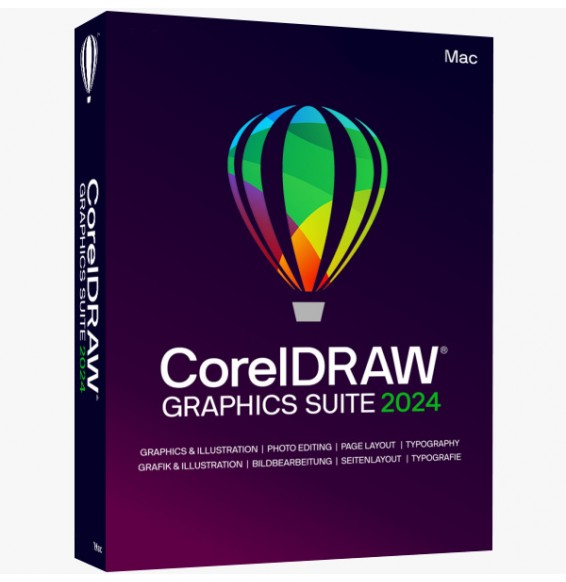
CORELDRAW GRAPHICS SUITE 2025 (Windows - MAC)
CorelDRAW Graphics Suite 2025 is a comprehensive professional suite for vector graphics, layout, photo editing, and typography management, designed for those working in visual communication, print, branding, marketing, and digital content production. The suite is designed as an integrated environment where illustration, layout, image editing, and font management coexist in the same workflow, with support for Windows, Mac and, for some functions, also for use via browser.
What the suite includes
CorelDRAW Graphics Suite 2025 includes as main components
CorelDRAW for vector graphics and layout,
Corel PHOTO-PAINT for raster image editing,
Corel Font Manager for organizing and managing fonts, and
CorelDRAW Web for working on graphic projects also from a browser. Corel presents the suite as a complete solution for vector illustration, page layout, photo editing, and typography.
General overview
This suite is designed to cover the entire cycle of a graphic project: from the creation of logos and illustrations to the production of brochures, catalogs, packaging, web content, social graphics, and materials for professional printing. The main strength is the "all-in-one" approach: instead of using separate and disconnected tools, the user can work in a single ecosystem with dedicated but integrated tools.
CorelDRAW
CorelDRAW is the heart of the suite and is the application dedicated to vector graphics and page layout. It allows you to create scalable illustrations, logos, banners, labels, advertising materials, multipage documents, and content for print and digital. It is particularly suitable for those who need precision in paths, advanced shape management, typographic control, and creative freedom on both simple and more complex projects.
Corel PHOTO-PAINT
Corel PHOTO-PAINT is the module dedicated to image processing and raster graphics. It is used to retouch photos, correct colors, work on photomontages, remove imperfections, and integrate photographic content into graphic projects created in CorelDRAW. Corel describes it as a powerful environment for image editing and pixel-based design, with an integrated workflow with CorelDRAW.
Corel Font Manager
Corel Font Manager is included to help organize, search and manage font libraries in an orderly way. It is particularly useful for those who work with many typographic characters and want to activate, compare, or use fonts without having to install them all permanently in the system. This improves order, operational speed, and control of the typographic consistency of projects.
CorelDRAW Web
CorelDRAW Web adds a browser-based component useful for working remotely, accessing online files, and continuing projects even outside the main workstation. Corel presents it as a tool for designing via the web and accessing work saved in the cloud, extending the experience beyond the traditional desktop.
Main features
Among the most important functions of the suite are the creation of professional vector graphics, the management of multipage layouts, photo retouching, advanced typography, font organization, compatibility with professional print output, and support for AI-based tools for generating or editing images. Corel also highlights tools designed for professional print output, web graphics, and a wide availability of creative content and templates.
Vector graphics and illustration
The suite is particularly strong in vector graphics, so it is ideal for creating logos, icons, illustrations, signage, packaging, branding materials, and content that must remain perfectly scalable at any size. This makes it very suitable for both web design and large format printing.
Layout and multipage documents
CorelDRAW Graphics Suite 2025 is not limited to single drawings: it also allows you to manage complex layouts and multipage documents, such as brochures, price lists, catalogs, manuals, product sheets, and commercial materials. This aspect makes it useful not only to pure graphic designers, but also to graphic studios and companies that produce internal editorial and promotional materials.
Typography and font management
Typography is a central part of the suite. In addition to text management in projects, having Font Manager integrated makes the package very useful for those who work on visual identities, layout, marketing campaigns, and packaging, where typographic control is fundamental. Corel explicitly presents the suite as a solution for typography as well as for illustration and layout.
Photo editing and raster content
Integration with PHOTO-PAINT allows you to manage photos and raster images without having to leave the suite's workflow. This is particularly useful when a project combines logos, vector elements, product photos, promotional images, and content destined for print or digital campaigns.
AI and modern tools
Corel promotes the suite also for the presence of AI-powered tools and AI credits linked to some functions, designed to accelerate or enrich the creative process. In addition, the suite is updated with new technologies and support for the most recent systems, including Windows 11 and Apple Silicon.
Operating system compatibility
CorelDRAW Graphics Suite is available for
Windows and
macOS, and Corel indicates native support for the latest technologies, including
Windows 11 and Macs with
Apple silicon. The most recent comparison documentation for the CorelDRAW line shows support for Windows 11, recent versions of Windows 10, and modern macOS; this confirms a very solid multi-platform desktop orientation. In addition, the suite extends the experience to the browser via CorelDRAW Web.
For a product sheet, you can present compatibility in this way:
- Windows 10 and Windows 11
- macOS in the latest supported versions
- Support for Apple Silicon
- Access via browser with CorelDRAW Web
Recommended hardware requirements
Corel highlights optimization for modern hardware in the official pages, but in the sources consulted there is not a complete detailed technical table of the minimum requirements for the 2025 release. For a product sheet, it is therefore prudent to indicate realistic recommended requirements consistent with the type of software, clearly distinguishing them as a recommended configuration. In practice, to work well with professional graphic projects, a mid-to-high range configuration is recommended.
You can therefore indicate:
- Processor: Intel Core i5/i7/i9 or equivalent AMD Ryzen
- RAM: minimum 8 GB, recommended 16 GB or more for complex projects
- Storage: SSD recommended for installation and work files
- Graphics card: GPU compatible with graphics acceleration
- Monitor: Full HD resolution or higher, preferably with good color fidelity
- Internet Connection: recommended for activation, updates, online services, and use of web and AI features
This formulation is consistent with the fact that the suite is oriented towards professional graphics, modern systems, and advanced tools, but without attributing official numbers that in the sources loaded here do not appear complete for the 2025 release.
Suitable for
CorelDRAW Graphics Suite 2025 is particularly suitable for:
- graphic designers
- illustrators
- graphic studios
- print professionals
- communication and marketing agencies
- companies that produce internal promotional materials
- creatives who work on branding, packaging, layout, and web content
- professionals who want a unique suite for vector, photo, and typography
Why choose CorelDRAW Graphics Suite 2025
The main advantage of the suite is its complete nature: instead of being just a vector software, it combines illustration, layout, image editing, font management, and web work in a single environment. This makes it a very effective solution for those looking for productivity, operational continuity, and a professional package capable of covering more needs without fragmenting the workflow. Corel indeed presents it as a "fully-loaded, professional design toolkit" designed to tackle practically any graphic project.
Conclusion
CorelDRAW Graphics Suite 2025 is a comprehensive professional suite for graphics and visual communication, ideal for those looking for a versatile tool for vector illustration, layout, image editing, and advanced typography. Thanks to the included modules, support for Windows and Mac, web extension, and attention to modern technologies, it represents a very valid solution for professionals, companies, and creative studios that want to create high-quality projects for print and digital in an integrated environment.




 Immediate Digital Delivery