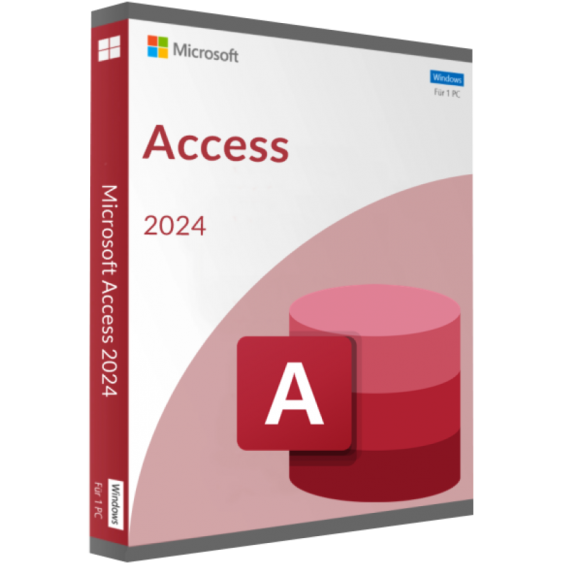
MICROSOFT ACCESS 2024 (WINDOWS)
£50.21
DISCOUNT -20% - use the code 1WEEKvalid without minimum order


 Immediate digital delivery
Original license
Satisfaction guaranteed or refunded within 30 days
Simple activation
Installation guide included
24/7 support including WhatsApp
Reusable in case of formatting
Multilingual
Updates included where applicable
The latest edition of the Microsoft Access database program is a high-performance tool from which both private users and businesses can benefit. Regardless of whether used in a small, private database or complex database system, Microsoft Access 2019 offers everything needed for seamless, convenient working with desktop computers and mobile devices.
In comparison to its predecessor, Microsoft Access 2016, the Redmond-based software developer has focussed largely on user-friendliness. The latest version not only features a far more simplified ribbon design; it also allows users to customise the interface to meet their requirements.
Easier data import and efficient database management
Thanks to the large number of templates, novices will soon find their feet in the world of Access 2019 and benefit from these enhanced templates for project management, goods management or when managing tasks and contact information. External data such as PDFs and images can also be easily integrated into the database application via the well-arranged menus.
Importing data from Excel documents or external SQL databases is also easily carried out using the trusted Office interface. Furthermore, database professionals have the ability to generate complex databases according to their requirements. Access 2019 is rounded off by collaborative working with colleagues on databases via SharePoint interfaces or an Office 365 connection. Data can be easily imported from the popular Salesforce source system via the Salesforce Data Connector.
Develop database apps without any prior knowledge
Microsoft Access 2019 is far more than just a database software. The program gives users the opportunity to create own database applications for mobile devices. This allows users to easily make data available via SharePoint without their workplace relying on Microsoft Access. A wide range of templates means no programming knowledge is required.
New chart control model
In comparison to the 2016 version of Access, Microsoft has created a comprehensive software package in the 2019 version which comprises all of the smaller features over the last few years while adding several interesting new features. One feature particularly worthy of mention is the optimised pen input for all programs within the Office 2019 Suite. This in turn makes using the software on Microsoft Surface devices far more intuitive due to increased pressure sensitivity.
Another great new technical feature in the latest member of the Microsoft Access range is the “Modern Charts” concept, giving the chart controls a significantly more modern appearance and simplifies its use for developers. In the 2019 version, “Modern Charts” can also be used in continuous forms, which previously was not possible with the ActiveX-based solution.
Platform
Windows 10
Processor
Processor with minimum 1 GHz, 32-bit (x86) or 64-bit (x64) - much faster recommended
Memory
at least 2 GB RAM (32-bit / 64-bit), 4 GB RAM recommended (32-bit / 64-bit)
Graphics card
DirectX 9 graphics card (minimum) with WDDM 1.0 driver, DirectX 10 graphics card (optimum)
Sound card
n/a
Hard drive
At least 16 GB disk space on the installation drive (32-bit), 20 GB disk space (64-bit)
Display
800 x 600 pixels (minimum)
Optical drive
DVD drive (for installing the DVD)
3 other products in the same category: