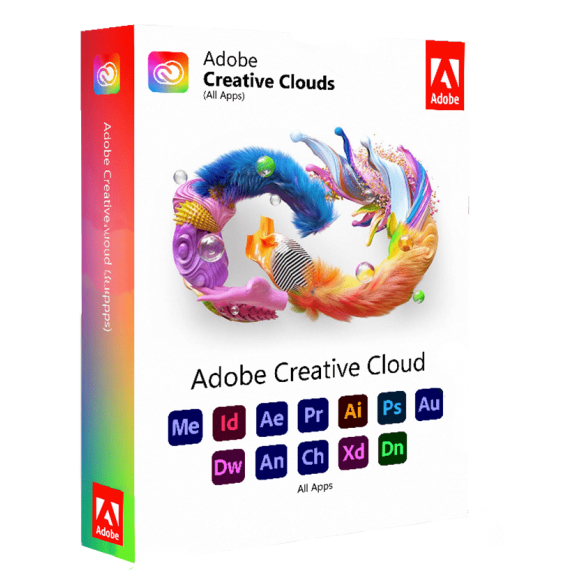
ADOBE CREATIVE CLOUD 2025
£29.45


 Immediate digital delivery
Original license
Satisfaction guaranteed or refunded within 30 days
Simple activation
Installation guide included
24/7 support including WhatsApp
Reusable in case of formatting
Multilingual
Updates included where applicable
Adobe Premiere Pro 2026 is a professional non-linear video editing (NLE) software used globally for the production of cinematic, television, advertising, and digital content. Designed to offer high performance and maximum flexibility, it allows you to manage the entire video editing process, from acquisition to post-production and final distribution.
Thanks to its advanced architecture and integration with the Adobe ecosystem, Premiere Pro represents a standard in the professional video editing industry, allowing precise work on complex and high-resolution projects.
Main Features
Adobe Premiere Pro 2026 offers a complete set of tools for video editing and post-production:
Advanced non-linear video editing Allows you to work on a multi-layer timeline with full control over video, audio, and graphics clips, without altering the original files.
Precise and flexible editing Includes advanced tools for cutting, trimming, ripple editing, slip and slide, allowing detailed control over every frame.
Support for professional video formats Compatible with a wide range of formats and codecs, including files from professional cameras and consumer devices.
Multi-camera management Allows you to synchronize and edit footage from multiple cameras, ideal for events, interviews, and complex productions.
Color correction and color grading Advanced tools for color correction, including controls for exposure, contrast, white balance, and professional grading.
Video effects and transitions A large library of customizable visual effects and transitions to enhance the quality and dynamics of the content.
Integrated audio management Includes tools for audio mixing, level adjustment, noise reduction and sound quality enhancement.
Artificial intelligence-based tools Advanced features allow automation of complex operations such as automatic transcription, subtitles, scene detection and workflow optimization.
Support for high-resolution editing Management of HD, 4K, 8K and HDR content with optimized performance thanks to hardware acceleration.
Integration with the Adobe ecosystem
Adobe Premiere Pro 2026 is perfectly integrated with other Adobe software, allowing a continuous workflow:
Integration with After Effects for advanced visual effects Compatibility with Photoshop and Illustrator for graphics Link with Audition for professional audio editing Integration with Media Encoder for export and encoding Use of Dynamic Link to work without intermediate exports Synchronization via Creative Cloud
Operating system compatibility
Adobe Premiere Pro 2026 is compatible with:
Windows 10 and Windows 11 (64 bit) macOS in the most recent supported versions Support for Intel, AMD and Apple Silicon architectures
Recommended hardware requirements
For optimal performance during video editing:
High-performance multi-core processor (Intel Core i7/i9 or AMD Ryzen 7/9 or higher) Minimum 8 GB RAM (recommended 16 GB for HD and 32 GB or more for 4K/8K) Dedicated graphics card with at least 4 GB of VRAM (recommended 8 GB or more) Support for GPU acceleration (NVIDIA, AMD or Apple Silicon) SSD disk space with at least 20 GB free Additional storage unit for multimedia files and cache Minimum screen resolution 1920 x 1080 (recommended 4K for advanced editing) Internet connection for activation, updates and cloud services
What's Included
Adobe Premiere Pro 2026 includes a complete environment for video editing:
Professional timeline for non-linear editing Advanced video and audio editing tools Color correction and color grading Visual effects and transitions Multi-camera support AI tools for automation and optimization Full integration with Adobe software Export in professional formats for web, TV and cinema
Who It's Suitable For
Adobe Premiere Pro 2026 is particularly suitable for:
Professional video editors Video and film production studios Content creators and YouTubers Marketing and communication agencies Broadcast and television professionals Companies that produce multimedia content
Conclusion
Adobe Premiere Pro 2026 represents a complete and highly professional solution for video editing. Thanks to its power, flexibility and integration with the Adobe ecosystem, it allows you to manage every stage of video production with precision and efficiency.
It is an indispensable tool for those working in the audiovisual industry and who want to achieve high-quality results, while maintaining full creative control over every detail of the project.
10 other products in the same category: