
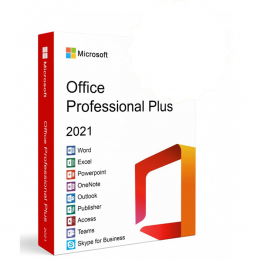
MICROSOFT OFFICE 2021 PROFESSIONAL PLUS (WINDOWS)
Immediate Digital Delivery
Original License
Satisfaction or Money Back Within 30 Days
Easy Activation
Installation Guide Included
24/7 Support, Including on WhatsApp
Reusable in Case of Formatting
Multilingual
Updates Included Where Applicable
Excellent
2,281 total reviews-
Ho comprato un programma da Macrosoft pur sapendo di poterlo trovare a minor prezzo confidando nell'assistenza che già avevo avuto modo di provare. Mi hanno pienamente soddisfatto risolvendo dei problemi (di mia responsabilità) in modo professionale e in breve tempo. Comprerò ancora da loro che ringrazio pubblicamente
-
tutto perfetto
-
Molto positiva. Assistenza efficiente e disponobile
-
TUTTO BENE, VELOCISSIMI NELL'INVIO PROGRAMMA. INSTALLATO, TUTTO FUNZIONA, NESSUN PROBLEMA. GRAZIE
-
Perfetto proprio quello che mi serviva
-
Ottimo!
Office 2021 Professional Plus
Essential tools for productive work. Office Professional 2021 is for growing small businesses that want the classic Office apps: Access, Excel, Outlook, PowerPoint, Publisher, Word, Microsoft Teams.
- Create documents in shared mode
- Better collaboration with modern comments
- You always know who is collaborating on the document
- Visual update
- Look left, look right... XLOOKUP is here
- Dynamic arrays
- LET function
- XMATCH function
- Sheet views
- Multifunction accessibility bar
- New and improved record presentation
- Pen input playback - Slide animation for pen input object
- Arrange elements in slides for screen reading
- Link to a slide
- Translator and pen input in Outlook
- In Outlook, use Instant Search to quickly find email messages
- Improve comprehension with Focus on line
- Discover what's new in stock supports
- Find the information you need with Microsoft Search
- Increase the reach of your content
- Performance improvements
- Updated Drawing tab
- Save changes as soon as they are made
- Support for OpenDocument Format (ODF) 1.3
- Update, reconnect or remove linked tables
- Try the new Extended Date/Time data type in Access
- Keep database objects under control in Access
- New Azure stencils and shapes
- New AWS stencils and shapes in Visio
- Content for social distancing planning in the workplace
- Try the Freehand Style
- Select the perfect color for your needs.
Minimum requirements to use Office 2021
- Dual-core processor, 1.6 GHz or faster
- 2.0 GHz + for Skype for Business
- 4 GB of RAM for 64-bit; 2 GB of RAM for 32-bit systems
- 4.0 GB of free disk space
- Screen resolution 1280 x 768 or higher
- Windows 10, Windows Server 2019
- Requires DirectX 9 or higher, with WDDM 2.0 or higher for Windows 10
- Internet access is not required. Activation – Internet-based or telephone-based, and KMS or MAK for enterprises.
N.B. Compatible with Windows 11 and Windows 10
5 other products in the same category:
MICROSOFT OFFICE 2021 LTSC...
MICROSOFT OFFICE 2021 HOME &...
MICROSOFT OFFICE 2021 HOME AND...