MICROSOFT OFFICE 2013 STANDARD...
$30.11
DISCOUNT -20% - use the code 1WEEKvalid without minimum order



 Immediate digital delivery
Original license
Satisfaction or refund within 30 days
Simple activation
Installation guide included
24/7 support, including on WhatsApp
Reusable in case of formatting
Multilingual
Updates included where provided
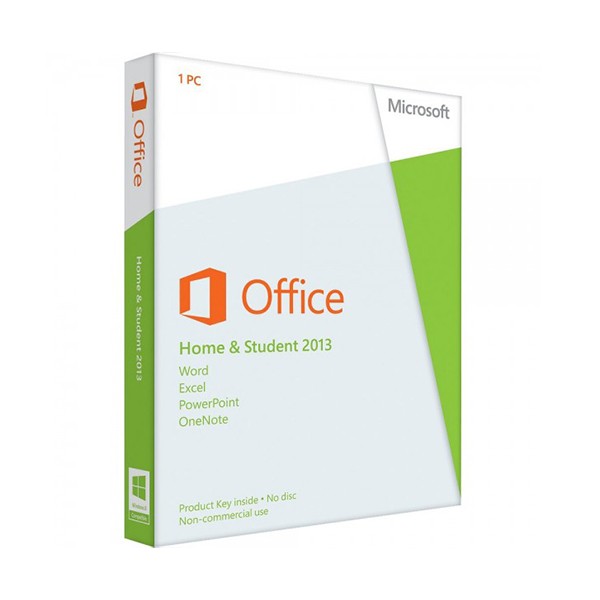
Office 2013 Home and Student provides the ideal tools for schoolchildren, students and private households to organise their office work. Achieve more at school, when studying and at home with Microsoft Office Home and Student 2013. Make an impression with special presentations, use different templates from Word or Excel and create great-looking, individual documents. Write notes and texts in Word easily with Microsoft Office Home & Student 2013, create beautiful presentations in PowerPoint and load complex data into tables and lists.
The look of Word, Excel and PowerPoint has been enhanced in the Microsoft Office Home and Student 2013 package. This face-lift allows the creation of documents with a clear and easy to follow structure. Text files and tables are easier to read and edit on the screen. It is as easy for an Office novice as an expert to start using Microsoft Office Home & Student 2013 and make headway with their own productive work.
Top reasons to decide on Office 2013 Home and Student:
Cloud computing
Office Home & Student 2013 has been optimised for Windows 7 and designed for seamless interaction between different devices. The Cloud function allows you convenient access to your data, even when you are not at your local workplace computer. So you can deal with your office work with Microsoft Office Home and Student 2013 even when you are out in the open, on the bus or train or in a café.
Easy to use
Office 2013 Home and Student was designed for optimum interaction between different devices. Excel, Word and PowerPoint can be used on compact, touch-enabled tablets and Ultrabooks as easily as on powerful all-in-one systems with high-resolution HD screens. Moreover, with the new Reading View in the Office 2013 Home and Student package, you can read your documents even more easily on any available screen.
Intuitive use
With its minimalist design and uncluttered, modern interface, Microsoft Office Home & Student 2013 is pushing even harder to make it easier to use touch and writing tools. The easy to use aspect of the Office 2013 Home and Student package is supported additionally with colours and animations. The fast access and many configuration possibilities for the individual tools and applications also make them exceptionally user-friendly. With its user-friendly interface and Cloud function, Office Home & Student 2013 offers the perfect foundation for your office work at home and away from your desk.
Please note that Outlook, Publisher and Access are not included in the Microsoft Office Home and Student 2013 version.
MICROSOFT OFFICE 2013 HOME AND STUDENT - SYSTEM REQUIREMENTS
Platform
Windows
Required operating system
Windows 10, Windows 8.1, Windows 8, Windows 7 Service Pack 1, Windows 10 Server, Windows Server 2012 R2, Windows Server 2012, or Windows Server 2008 R2
Processor
1 gigahertz (GHz) or faster x86-bit or x64-bit processor with SSE2
Memory
1 GB RAM (32-bit); 2 GB RAM (64-bit)
Hard disk
3.0 GB available disk space
Graphics
1024 x 768 screen resolution
Sound card
N/A
4 other products in the same category: