
Microsoft Publisher closes on October 1, 2026: what happens to .pub files, who really loses them and how to convert...
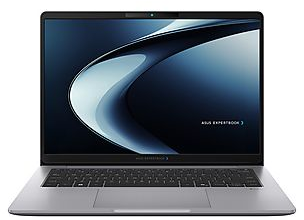
Buying a computer without pre-installed Windows is an increasingly popular choice among expert users, IT professionals, and businesses. PC without operating system It is a machine sold without Windows, macOS, or any other OS on the disk. It is an option that allows you to save on the license, to install a system different from Windows, or to configure the machine according to specific business specifications. In this guide, we see what exactly a PC without an operating system means, when it is convenient to do so, which OS can be installed, and how to proceed with the installation step by step.
A PC without an operating system is a assembled and perfectly functioning computer at the hardware level, but without an OS installed on the disk. Upon power up, it displays a BIOS screen indicating the absence of a bootable system.
In the manufacturers' price lists, this configuration is indicated in three ways. FreeDOS Identifies PCs with a preinstalled minimal open source OS, enough to meet the legal requirement but unusable for daily use. No OS You didn't provide any text to translate. Please provide the text that you want translated from Italian to English. Without OS They are PCs completely devoid of an operating system. Preinstalled Linux Indicates configurations with free distributions such as Ubuntu or Mint already loaded by the manufacturer. At the hardware level, these PCs are identical to the versions with Windows: same processor, same RAM, same SSD.
The convenience essentially depends on three practical scenarios, each with specific motivations.
If you own a Windows 10 or Windows 11 retail license (for example, retrieved from a discarded PC), you can legally install it on the new device. Buying a PC without an OS in this case saves you the amount of the license fee you would pay twice. On Macrosoft, all versions are available. Original Windows 10 , with digital product keys delivered in a few minutes.
Distributions like Ubuntu, Fedora or Linux Mint are completely free, secure and high-performing. For software developers, server professionals or users who want to achieve high performance from modest hardware. Linux is often the optimal choice. Paying for the Windows license in this scenario would be a waste of money.
Companies with Microsoft Volume licenses prefer to purchase bare PCs to configure with standardized images centrally managed by the IT department. The entire fleet of machines shares the same configuration, simplifying maintenance and updates. For the average home user who simply wants to turn on the computer and start using it, however, it remains more convenient to purchase the machine with Windows already installed and activated.
The main options are three. Windows 10 or 11 It represents the standard for personal and business productivity, with full compatibility for Office, AutoCAD, and Photoshop. Linux (Ubuntu, Mint, Fedora) is free, lightweight and secure, excellent for development and for obtaining high performance on modest hardware. ChromeOS Flex It is the free version of ChromeOS that can be installed on PCs, useful on outdated hardware but limited to work within the browser.
The installation requires three elements and about 30 minutes of time: an original Windows 10 or 11 license, a USB stick of at least 8 GB, and a second computer to prepare the installer.
The steps are as follows:
Download it Media Creation Tool from the official Microsoft website on the second computer and create the USB installation stick.
Insert the USB into the bare PC and boot it from the USB by pressing F12 or F2 when turning it on (the key varies depending on the manufacturer).
Follow the on-screen instructions by choosing the custom installation and select the destination disk.
Once the installation is completed, enter the product key to activate the system.
For details on correct activation, please consult our Guide to activating Windows 10 Pro .
On price A PC without an OS costs 10-20% less than the equivalent with pre-installed Windows. On the readiness for use The PC with Windows is immediately functional, while the bare one requires manual installation. On the flexibility , the PC without an OS allows maximum freedom on the system to be installed. On the support The manufacturer only covers the hardware in bare PCs, while in OEM versions it also includes the OS. The choice depends on the profile: companies and experts prefer the bare PC, general users the preinstalled version.
Yes, it is perfectly legal. Major manufacturers such as Dell, HP, Lenovo, and Asus offer FreeDOS or No OS configurations in their price lists specifically for those who want to install a different system or use a license they already own.
It depends on the type of license. The licenses retail can be transferred to a new device after deactivation from the old one. The licenses OEM They are tied to the original hardware and cannot be transferred. Always check the type of license you own before installation.
A Windows 11 Home license starts at around 145 euros at the official Microsoft price. By purchasing it from authorized retailers like Macrosoft, the cost is significantly reduced, especially for digital ESD licenses.
Yes, but an operating system (Windows, macOS or Linux) is needed first. Once the OS is installed, Office can be downloaded as a digital license and installed in a few minutes. All versions for Windows and Mac are available on Macrosoft.
Yes, the manufacturer's hardware warranty remains valid regardless of the operating system installed. It covers components such as motherboard, processor, RAM, and disk, but does not include software issues caused by the OS installed by the user.
Buying a PC without an operating system is worth it when you already have a license, want to install Linux, or manage a business computer fleet. For the home user, a PC with preinstalled Windows remains more immediate. If you have a bare PC to activate with Windows or equip with Office, on Macrosoft you can find original digital licenses delivered in just a few minutes.
Discover all the original operating systems Available on Macrosoft.
 How to Activate Microsoft Office 2010: Complete Guide
 Corel Draw 2023: the new features of the software
 What are the best operating systems for PC
 What is the Microsoft Windows Server platform?
 What are RDS servers and what are they used for
Microsoft Publisher closes on October 1, 2026: what happens to .pub files, who really loses them and how to convert...
How to open a CDR file without CorelDRAW: free tools, online converters and the limitations of each. Practical guide...
What is Microsoft Office? A clear guide to the suite (Word, Excel, PowerPoint), the available versions, and the...

What are the best PDF readers in 2026? Comparison between free and paid programs for Windows and Mac, including new...
How much does AutoCAD cost in 2026? Official subscription price of Autodesk and perpetual license alternatives to...
How much does the Office package cost in 2026? Comparison between Microsoft 365 subscription and perpetual license:...
Discover how to effectively and stress-free restore Windows 7. Solve common problems and optimize your PC with our...
Do you need to install two operating systems? Tackle common challenges and find the most suitable solution for...
The best alternatives to Photoshop in 2026. Discover CorelDRAW, Affinity Photo, GIMP and other software for...
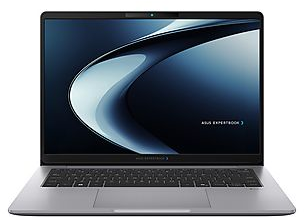
What is a PC without an operating system and when is it beneficial to buy it. Discover how to install Windows or...
Leave a comment