
Microsoft Publisher closes on October 1, 2026: what happens to .pub files, who really loses them and how to convert...
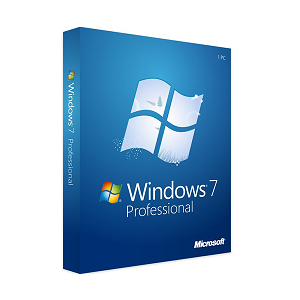
How to Format a Windows 7 PC
Formatting a PC with Windows 7 It is a useful procedure when the computer is slow, has errors, or is no longer working properly. Formatting allows you to erase all existing data and reinstall the operating system from scratch, returning the PC to a clean and more stable state.
It is an effective solution especially in cases where the system is compromised by viruses, slowdowns or difficult problems to solve.
There are some situations where formatting becomes the best choice:
The computer is very slow.
Windows crashes or gives frequent errors
There are viruses or malware present.
The PC does not start up correctly.
Do you want to sell or transfer the device?
In these cases, reinstalling Windows allows you to permanently eliminate the problems.
Before starting, it is essential to prepare properly.
Make sure to:
save all the important files (documents, photos, videos)
make a backup on an external drive or cloud
retrieve any license codes for the programs
have the Windows installation support available
The formatting procedure is quite simple if followed correctly.
Insert the installation media (USB stick or DVD) and restart the computer.
Access the startup menu and select the correct device.
Once the Windows setup is initiated:
choose language and keyboard
click on "Install"
accept the terms
This is the most important step.
For a complete formatting:
Delete all existing partitions
create a new partition
Select it for installation
Windows will start copying the files and will automatically install the system.
The PC will be restarted several times.
After installing Windows 7, it is important:
install the updated drivers
Perform Windows Update
Install antivirus and essential programs
Consider that Windows 7 is no longer officially supported. For greater security and performance, you may consider upgrading to newer versions. Discover all the original Windows licenses .
Formatting a Windows 7 PC is an effective solution to solve system issues and improve performance. By following the correct steps, you can reinstall Windows in a simple way and get a faster and more reliable computer.
 How to Activate Microsoft Office 2010: Complete Guide
 Corel Draw 2023: the new features of the software
 What are the best operating systems for PC
 What is the Microsoft Windows Server platform?
 What are RDS servers and what are they used for

Microsoft Publisher closes on October 1, 2026: what happens to .pub files, who really loses them and how to convert...

How to open a CDR file without CorelDRAW: free tools, online converters and the limitations of each. Practical guide...
What is Microsoft Office? A clear guide to the suite (Word, Excel, PowerPoint), the available versions, and the...

What are the best PDF readers in 2026? Comparison between free and paid programs for Windows and Mac, including new...
How much does AutoCAD cost in 2026? Official subscription price of Autodesk and perpetual license alternatives to...
How much does the Office package cost in 2026? Comparison between Microsoft 365 subscription and perpetual license:...
Discover how to effectively and stress-free restore Windows 7. Solve common problems and optimize your PC with our...
Do you need to install two operating systems? Tackle common challenges and find the most suitable solution for...

The best alternatives to Photoshop in 2026. Discover CorelDRAW, Affinity Photo, GIMP and other software for...
What is a PC without an operating system and when is it beneficial to buy it. Discover how to install Windows or...
Leave a comment